This guide is created for you to easily access and navigate the E‑Shikshakosh portal. Whether you’re registering for the first time, logging in, or exploring its features, you’ll find step-by-step instructions to get started quickly and efficiently.
What is E‑Shikshakosh Bihar? ई-शिक्षाकोष बिहार क्या है?
E‑Shikshakosh is a digital platform launched by the Bihar Education Project Council to streamline education management across the state. It integrates services for teachers, students, and school officials, making administrative tasks like attendance, record management, and payroll more accurate and less time-consuming. The platform ensures you have reliable access to school and student data whenever you need it.
E Shikshakosh Bihar complements this system by providing digital learning materials and lesson plans. If you’re a teacher, you can use it to plan classes efficiently. If you’re a student, it gives you structured access to syllabus-aligned resources, helping you study smarter. Both components work together to modernize how education is delivered and managed in Bihar.
By replacing outdated manual methods, E‑Shikshakosh makes it easier for you to manage teaching, learning, and administrative tasks—all in one place.
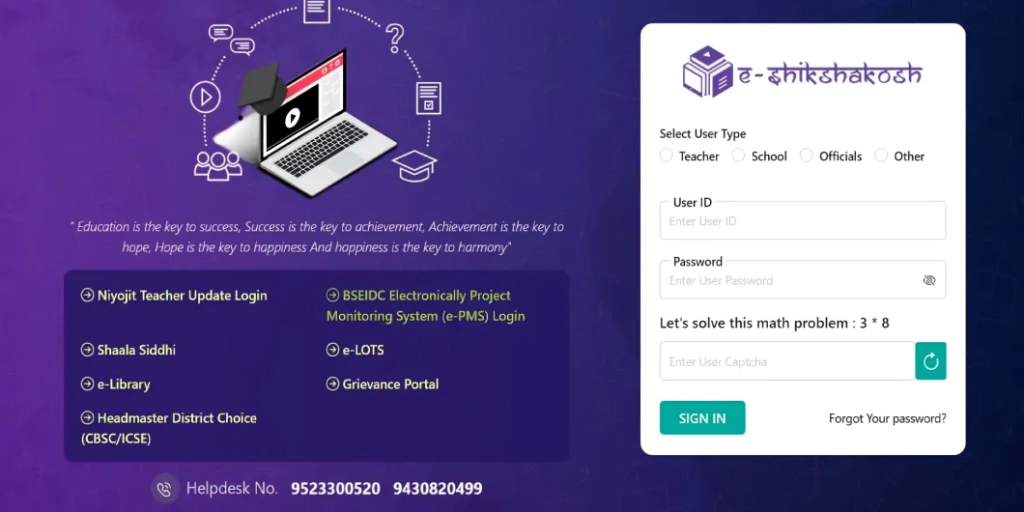
Key Objectives & Vision Behind the Portal | प्रमुख विशेषताऐं
The main goal of E‑Shikshakosh portal is to make education management digital, transparent, and efficient. By moving records online, the government aims to reduce errors, save time, and provide reliable access to essential information for everyone involved.
The portal’s vision includes:
- Creating a single source for attendance, payroll, and service records.
- Reducing manual work for teachers and officials.
- Increasing transparency and accountability in schools.
- Supporting teacher professional development through training modules.
- Giving you real-time access to student and school information.
Who Can Use E‑Shikshakosh? ई‑शिक्षाकोष का उपयोग कौन कर सकता है?
E Shikshakosh is designed for anyone involved in Bihar’s education system. Whether you’re teaching, learning, or managing schools, the portal has tools that fit your role.
People who can use this portal include:
- Teachers employed in government schools.
- Students enrolled under the state board.
- School administrators, such as principals or data entry staff.
- Education officials are monitoring school performance.
- Parents, in some cases, to track student progress.
Benefits & Features of E‑Shikshakosh | ई‑शिक्षाकोष की विशेषताएं
The platform is built to save your time and reduce administrative hassle. By consolidating information, it gives you instant access to tasks that used to require visits to the school office.
Benefits of E‑Shikshakosh
- Quick access to school records and real‑time attendance makes planning easier.
- Teachers save time on administrative tasks and focus more on teaching.
- Parents stay informed about their child’s progress and school activities.
- Administrators can monitor performance and compliance digitally.
- Students benefit from easier access to learning materials and progress tracking.
Features of E‑Shikshakosh
- Digital attendance tracking for teachers and students.
- School inspection tools for officials to record findings.
- Student and teacher data management in a centralized database.
- Training modules and resources for professional development.
- Mobile and web access for convenience and on‑the‑go use.
How to Register on E‑Shikshakosh Portal? | ई‑शिक्षाकोष पोर्टल पर पंजीकरण करें
To use the Eshikshakosh (e shikshakosh bihar gov in), you need an account based on your role. The registration process differs slightly for students and teachers. Before you begin, make sure you have valid details such as your school ID number or teacher code as provided by your education authority.
Student Registration Process
- Visit the official portal at https://eshikshakosh.bihar.gov.in .
- Click on the Register or Sign Up button.
- Enter your student ID, name, date of birth and registered mobile number.
- Create a password and confirm it.
- Submit the form and verify with the OTP sent to your phone.
Teacher Registration Process
- Open the portal and select Teacher Registration.
- Enter your official teacher ID or code.
- Fill in your name, school code and contact information.
- Create a secure password and confirm it.
- Complete OTP verification to activate your account.
School Registration Process
- Go to School Registration on the portal.
- Enter school code, name, and address.
- Provide principal contact information.
- Submit necessary documents (like affiliation letters) and verify.
- Wait for admin approval to activate the account.
Officer Registration Process
- Choose Officer Registration if you’re a district or education officer.
- Provide your official ID, department code, and contact details.
- Set a secure password and verify via OTP.
- Once approved, you can monitor schools and teacher data.
Other Users Registration Process (NGOs, Researchers, Admin Staff)
- Select Other Users Registration.
- Enter organization ID or reference code.
- Provide name, role, and contact details.
- Complete OTP verification.
- Access permissions are granted based on role and purpose.
After registration, use your credentials to log into the portal and complete your profile.
Login Process In E‑Shikshakosh Portal | लॉगिन प्रक्रिया – ई‑शिक्षाकोष
Once you have an account, logging in gives you access to all relevant features based on your role.
Student Login Process
- Go to eshiksha bihar gov in login.
- Enter your username or student ID and password.
- Click Login and proceed to your dashboard.
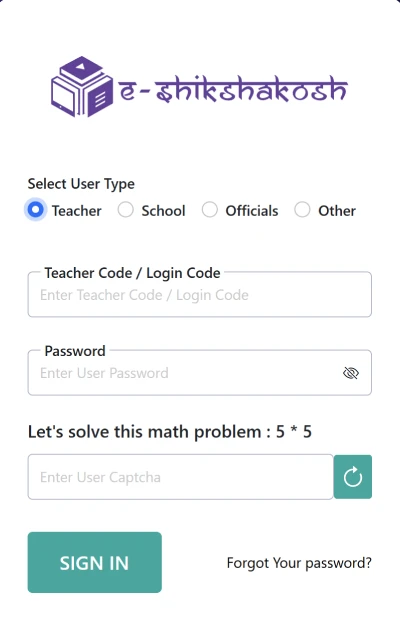
Teacher Login Process
- Navigate to the portal’s login page.
- Input your teacher ID and password.
- Use OTP verification if prompted to secure your session.
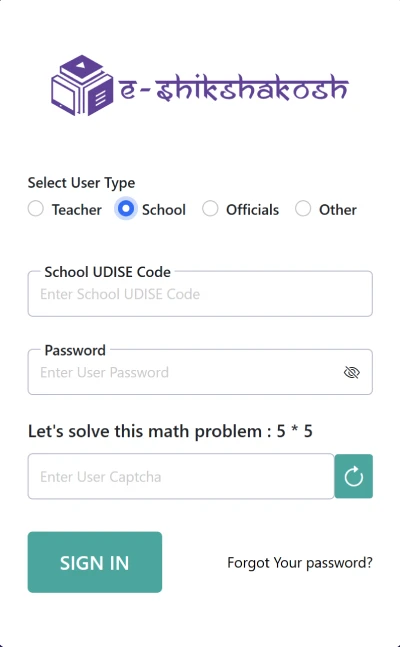
School Login Process
- Go to the official portal login page: https://eshikshakosh.bihar.gov.in/login.
- Click on School Login.
- Enter your school code and the password provided during registration.
- Complete OTP verification sent to your registered phone or email.
- Once logged in, you can manage student registrations, teacher assignments, attendance records, and other school-level reports.
Officer Login
- Go to Officer Login.
- Enter your officer ID and password.
- Verify OTP if prompted.
- Access tools for monitoring schools, teacher performance, and inspections.
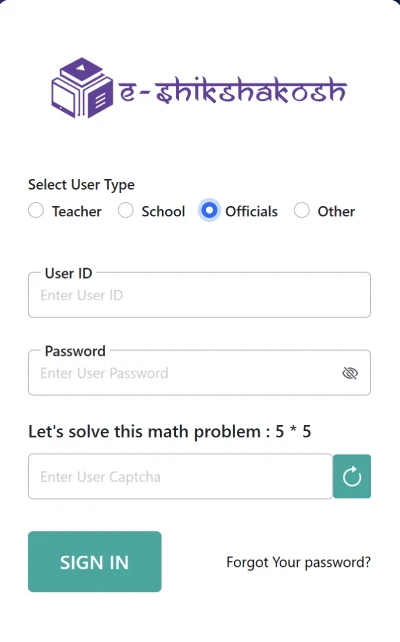
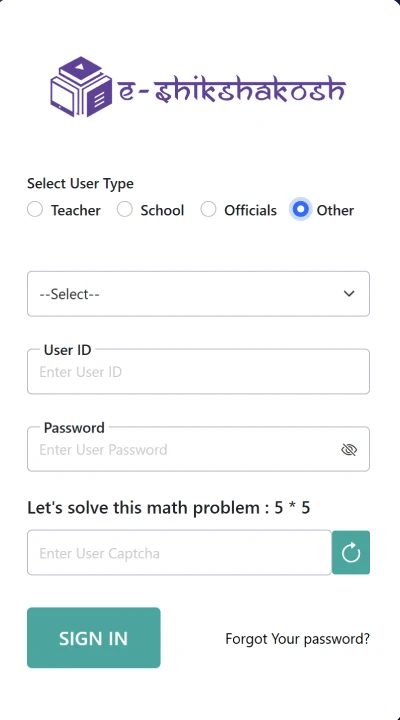
Other Users Login
- Navigate to Other Users Login.
- Enter your registered ID and password.
- Complete OTP verification.
- Access modules assigned to your NGO, research, or administrative role.
After login, your personalized dashboard shows links to attendance, records, training, inspection, and other tools based on your role.
How to Add New Students to the E‑Shikshakosh Portal? | नए छात्र जोड़ें
Adding students to the E-Shikshakosh portal bihar ensures their information is up to date and that they can access features relevant to their learning. Here’s how it generally works.
- Log into your account with administrative privileges.
- Navigate to the Student Management or Add Student section.
- Enter student name, ID, class, and other required details.
- Save the information and confirm the entry to register the student in the system.
Once added, the student appears on attendance and performance lists. You’ll be able to repeat this process whenever new students join your school.
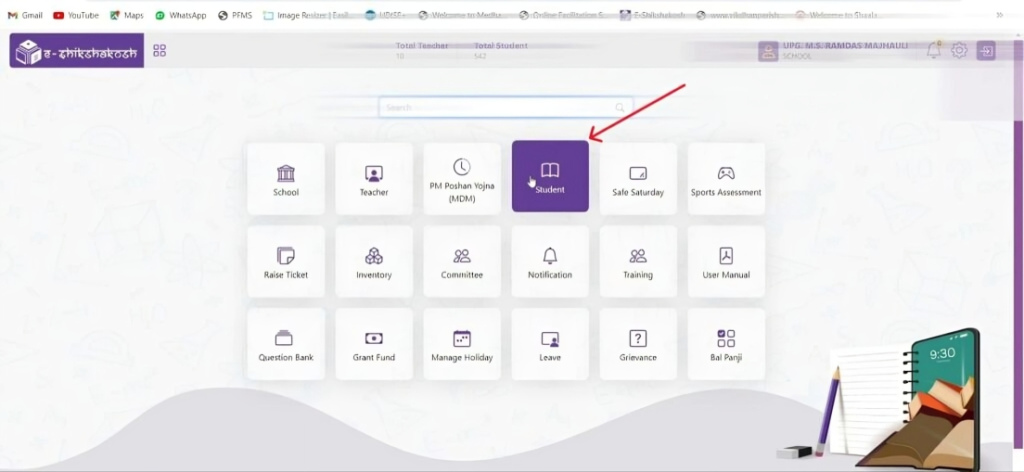
How to Use the E‑Shikshakosh Portal Effectively
To make the most use of the portal, explore the dashboard based on your role.
- Teachers: Update profiles, mark attendance, access training modules.
- Students: Review progress, check learning materials.
- Administrators: Track compliance, monitor performance, run reports.
Regularly checking alerts and messages helps you stay updated on policy changes or new resources. This practice avoids confusion and ensures you use the portal to its full potential.
E‑Shikshakosh App for Mobile Users | ई‑शिक्षाकोष ऐप
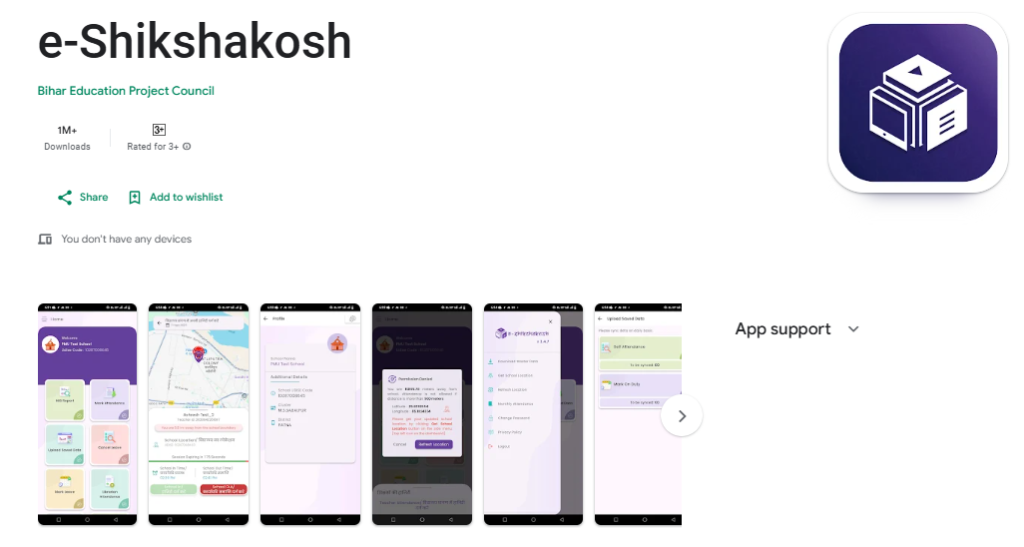
The Bihar Government has also launched the E‑Shikshakosh App, which brings many of its features to your phone.
Download the app from official sources.
- Log in with your credentials.
- Use tools for attendance, records, notices, and dashboards directly on your phone.
The mobile version makes daily tasks such as attendance marking and tracking progress fast and convenient.
How to Get Your E‑Shikshakosh ID (शिक्षकों के लिए)
To get your ID as a teacher:
- Access the registration form with your official teacher code.
- Provide your valid school and contact details.
- Complete the OTP verification process.
This ID lets you log in and access administrative and teaching‑related functions on the portal.
Troubleshooting & Help Guide
Many users encounter simple issues that can be fixed quickly. Here are common problems and how to solve them:
Login Errors
If login fails, check your username and password carefully and make sure your account is active. Reset your password through the Forgot Password link if needed.
OTP Not Received
An OTP can be delayed due to network issues so try again after a few minutes or check with your school administrator.
Data Mismatch Issues
If your stored details are incorrect, contact your school admin to update your records in the portal.
Special Modules in E‑Shikshakosh Portal
E-Shikshakosh Bihar includes advanced tools for specific needs. Each module supports a different part of education management.
Niyojit Teacher Portal for Academic Management
This section lets contracted teachers manage attendance, classes and collect performance data.
e‑PMS for Infrastructure Managers
This module helps with planning and tracking infrastructure projects like classroom construction and maintenance.
e‑Library for Teachers and Students
Here educators and students can access books, study guides, lesson plans and other learning resources online.
Before vs. After E‑Shikshakosh: What Changes for You
| Function | Before E‑Shikshakosh | After E-Shikshakosh |
|---|---|---|
| Record Management | Manual files that could easily get lost or damaged | Secure cloud-based service books with blockchain verification for extra safety |
| Salary Processing | Slow, paper-based verification | Real-time salary updates with SMS notifications when payments are made |
| Grievance Resolution | Complaints took months to resolve | Most issues resolved within 72 hours using AI-assisted triage |
| Training Delivery | Centralized workshops in person | On-demand microlearning modules with skill-based certifications |
| Infrastructure Management | Tracking projects on paper | Automated geotagged monitoring and fund release for projects |
| Student Performance Tracking | Handwritten grade books and exam records | Instant dashboards that show student progress clearly and in real time |
| Teacher Development Monitoring | Periodic manual evaluations | Continuous performance tracking with personalized growth recommendations |
| Parent Communication | Occasional phone calls or printed notices | Direct alerts via portal or mobile app about grades, attendance, and events |
| Resource Allocation | Manual tracking of supplies and funds | Automated monitoring of classrooms, teaching materials, and budgets |
FAQ’s | ई-शिक्षाकोश
E‑Shikshakosh Customer Service
E‑Shikshakosh Contact Number: 9430820499, 9523300520
- Official Office / Headquarters: Bihar Education Project Council, Patna, Bihar, India.
- Official Website: https://eshikshakosh.in/
- Portal Login: https://eshikshakosh.in/login
- Mobile App: E-Shikshakosh App
- E‑Shikshakosh Support: Help Desk